USA Owned & Operated






How Many Windows Server 2025 Core Licenses Do You Need?
Microsoft licensing guidance checked: September 10, 2026
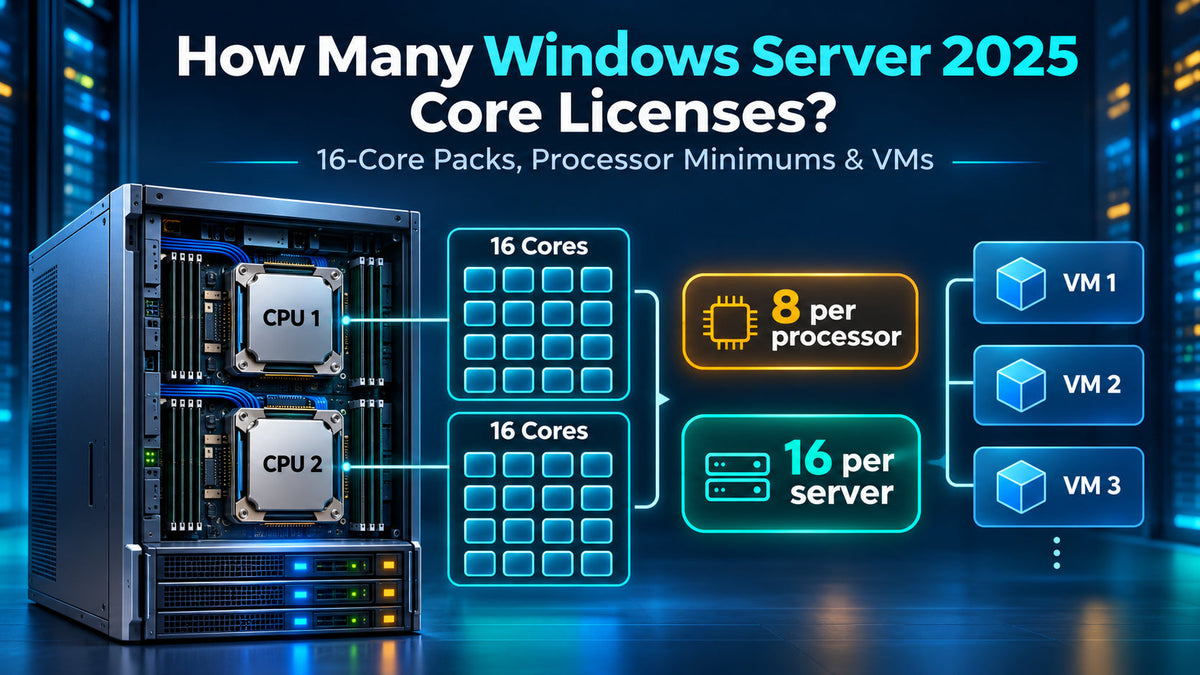
A Windows Server 2025 “16 Core” product is a pack of core licenses, not a promise that one pack fits every server. For the usual physical-core licensing route, you must cover every physical core while also meeting Microsoft’s minimum of 8 core licenses per physical processor and 16 per server.
That means one 16-core pack is enough for many one- and two-processor servers with no more than 16 physical cores—but not every machine with 16 or fewer cores. The processor layout, Windows Server edition and number of virtual machines can all change the final quantity.
Is one Windows Server 2025 16-core license pack enough?
One 16-core pack is normally enough to license the physical cores of a server with one processor and up to 16 physical cores, or two processors with up to 8 physical cores each. This assumes the product supplies 16 core licenses and the server is being licensed by physical cores.
One pack is not enough if the server has more than 16 physical cores. It may also be insufficient when there are more than two processors, because Microsoft requires at least 8 core licenses for each physical processor even when a processor has fewer than eight active cores.
Virtualization adds another question. After all physical cores are licensed once, Windows Server 2025 Standard generally provides rights for two operating system environments, or OSEs. To run more Windows Server virtual machines under physical-core licensing, Standard licenses are “stacked” by licensing all of the server’s physical cores again for each additional pair. Datacenter provides unlimited Windows Server OSE rights on the fully licensed physical server.
The three rules for licensing Windows Server 2025 by physical core
For Windows Server 2025 Standard and Datacenter licensed by physical cores, Microsoft’s current guidance can be reduced to three checks:
- Count every physical core in the server. Do not count threads, logical processors or only the cores assigned to a virtual machine.
- Apply the per-processor minimum. License at least 8 cores for every physical processor.
- Apply the per-server minimum. License at least 16 cores for the server as a whole.
For a straightforward configuration, you can calculate the minimum as the largest of those three numbers. Core licenses are sold in 2-packs and 16-packs, so a server needing 24 core licenses could be covered with one 16-pack plus four 2-packs, assuming the products use the same eligible edition, version and licensing channel.
Operating systems and hypervisors may show twice as many logical processors when simultaneous multithreading is enabled. Windows Server core licensing under the physical-core model is based on physical cores, not threads. Use the server manufacturer’s hardware inventory, BIOS or management controller to confirm sockets, installed processors and physical cores per processor.
Windows Server 2025 core-license examples
The examples below calculate the first complete physical-core license set. Virtual-machine rights are handled separately in the next section.
| Physical server | Actual cores | Processor minimum | Core licenses required | Typical pack combination |
|---|---|---|---|---|
| 1 processor × 4 cores | 4 | 8 | 16 | One 16-core pack |
| 1 processor × 12 cores | 12 | 8 | 16 | One 16-core pack |
| 1 processor × 16 cores | 16 | 8 | 16 | One 16-core pack |
| 1 processor × 24 cores | 24 | 8 | 24 | One 16-core pack + four 2-packs |
| 2 processors × 6 cores | 12 | 16 | 16 | One 16-core pack |
| 2 processors × 10 cores | 20 | 16 | 20 | One 16-core pack + two 2-packs |
| 4 processors × 4 cores | 16 | 32 | 32 | Two 16-core packs |
The last row is the trap worth remembering: that server has only 16 physical cores, but its four processors create a 32-core licensing minimum. This is why a product title alone cannot confirm the required quantity.
How many Standard core licenses do you need for virtual machines?
When Windows Server 2025 Standard is licensed by physical cores, one complete licensing of all physical cores—after applying the minimums—provides rights for up to two Windows Server OSEs or two Hyper-V-isolated Windows Server containers. You can stack another complete set of Standard core licenses on the same server to receive rights for another two.
If the physical Windows Server installation is used only to host and manage the virtual OSEs, Microsoft permits that management-only physical OSE in addition to the two virtual OSEs. If you also run ordinary application workloads in the physical OSE, do not assume it is a free extra instance; it can consume one of the licensed OSE rights.
| Windows Server VMs planned | Complete Standard license sets | 16-core host | 24-core host |
|---|---|---|---|
| 1–2 VMs | 1 set | 16 Standard core licenses | 24 Standard core licenses |
| 3–4 VMs | 2 sets | 32 Standard core licenses | 48 Standard core licenses |
| 5–6 VMs | 3 sets | 48 Standard core licenses | 72 Standard core licenses |
| 7–8 VMs | 4 sets | 64 Standard core licenses | 96 Standard core licenses |
These figures count Windows Server guest OSEs, not every VM on the host. A VM running another operating system still needs whatever license applies to that guest, but it does not become a Windows Server OSE merely because Hyper-V hosts it.
When Datacenter can be a better buy than stacking Standard
Standard usually fits
- A physical or lightly virtualized server
- One or two Windows Server VMs
- A stable, low VM count
- No need for Datacenter-only infrastructure features
Datacenter deserves comparison
- A highly virtualized host
- VM numbers may grow or change frequently
- Repeated Standard stacks approach Datacenter cost
- Storage Spaces Direct or Network Controller is required
When all physical cores are properly licensed with Windows Server 2025 Datacenter, Microsoft grants rights to any number of Windows Server OSEs on that server. Standard grants two per complete physical-core license set. The practical purchase comparison is therefore the cost of enough Standard sets for your planned VM ceiling versus one Datacenter set.
Datacenter is not simply “Standard with more VMs.” Microsoft’s current edition comparison also reserves features such as Storage Spaces Direct and Network Controller for Datacenter. Standard supports many everyday roles—including Active Directory Domain Services, DNS, DHCP, file services, Hyper-V, IIS and Remote Desktop Services—but advanced software-defined datacenter requirements can decide the edition before the VM count does.
Do not use a rule such as “buy Datacenter at six VMs” without pricing the exact offers. The break-even point depends on the cost of the eligible licenses, the host’s core count, future VM growth, required features, Software Assurance or subscription benefits and the purchasing agreement.
Can Windows Server 2025 be licensed by virtual machine instead?
Microsoft does offer a per-VM licensing option, but it is not an automatic right attached to every Windows Server product. Microsoft’s current guidance limits licensing by virtual machine to eligible subscription licenses or licenses with active Software Assurance.
Under that option, you license the virtual cores assigned to a VM, subject to a minimum of 8 core licenses per VM and 16 core licenses per customer. Microsoft describes one virtual OSE right for each appropriately licensed VM under this model. This can be useful in qualifying environments, but a buyer should not apply per-VM calculations to an ordinary one-time license without first confirming Software Assurance or subscription eligibility.
Retail, OEM, electronic-download and Commercial Licensing offers can carry different terms, activation methods, assignment rules and benefits. Ask exactly what license channel is supplied. The Microsoft licensing guide is primarily written for Commercial Licensing customers and says the governing Product Terms, agreement, or OEM/retail terms take precedence.
Core licenses do not replace Windows Server CALs
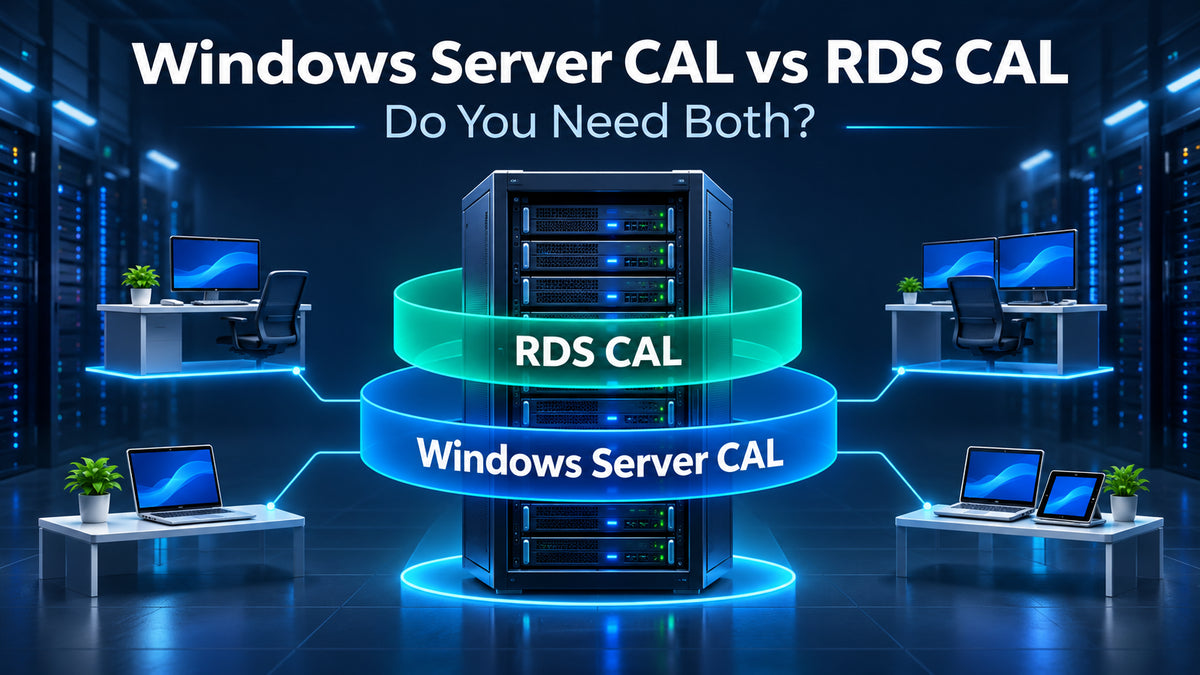
Core licenses cover the server software. They do not normally give every employee or device an access right. Both Windows Server 2025 Standard and Datacenter use the Per Core/CAL model in Microsoft’s conventional licensing route, so users or devices accessing the licensed servers generally need the appropriate Windows Server CALs.
Remote Desktop Services is another layer. A user or device accessing RDS functionality generally needs an RDS CAL in addition to the base Windows Server CAL. Buying a 16-core server license, even Datacenter, does not include unlimited users or RDS sessions.
There are exceptions and alternatives for specific workloads and agreements, including certain web workloads, licensed-server-to-server access, External Connector licenses and CAL-equivalent subscriptions. Treat those as agreement-specific decisions rather than assumptions that reduce the count.
Pre-purchase core licensing checklist
- Record the physical host. Note the manufacturer, model and whether the workload will run on bare metal or through a hypervisor.
- Count physical processors and cores. Do not substitute logical processor or thread counts.
- Apply both minimums. Use at least 8 core licenses per physical processor and at least 16 per server.
- Choose Standard or Datacenter. Check planned Windows Server VMs, future growth and Datacenter-only features.
- Calculate Standard stacks. Under physical-core licensing, fully relicense the host for each additional pair of Windows Server OSEs.
- Verify the license channel. Confirm whether the offer is retail, OEM, ESD, subscription or Commercial Licensing and whether Software Assurance is included.
- Count access licenses separately. Add required Windows Server CALs and any additive RDS CALs.
- Keep the evidence. Retain invoices, license terms, hardware inventory and the calculation used for each server.
Start with the correct 16-core edition
If your calculation requires one complete 16-core license set, compare the live Standard and Datacenter offers below. If the server has more than 16 cores, do not order until you have confirmed how the remaining cores will be licensed.
Frequently asked questions
Does a 16-core license mean Windows Server can use only 16 cores?
No. “16 Core” describes the number of core licenses in the offer, not a technical processor limit. A server with more than 16 physical cores needs additional core licenses so all cores are covered, subject to Microsoft’s minimums.
Do I count cores or threads for Windows Server 2025?
Count physical cores when licensing by physical core. Do not count simultaneous-multithreading threads as separate physical cores. Confirm the actual processor and core configuration from reliable hardware inventory.
How many core licenses do I need for a 24-core server?
A one-processor server with 24 physical cores requires 24 core licenses under the physical-core model. A common combination is one 16-core pack plus four 2-core packs. A multi-processor layout must also pass the 8-core-per-processor minimum.
How many Windows Server 2025 Standard VMs can I run with 16 core licenses?
If 16 core licenses fully cover the physical server and all minimums, one complete Standard license set provides rights for up to two Windows Server OSEs under physical-core licensing. The physical OSE may be used in addition only when it is used solely to host and manage the virtual OSEs.
Can I buy another 16-core Standard license to run two more VMs?
Yes, on a 16-core host a second complete Standard license set can provide rights for another two Windows Server OSEs. On a host requiring more than 16 core licenses, another 16-core pack alone is not a complete stack; you must cover all required physical cores again.
Does Windows Server 2025 Datacenter require core licenses?
Yes. Datacenter is core licensed too. Its unlimited virtualization rights apply after the physical server is fully licensed according to the physical-core rules; “unlimited VMs” does not mean the host’s cores can be left partially licensed.
Are CALs included in a Windows Server 2025 16-core pack?
Do not assume so. The live YourOfficeHub Standard and Datacenter 16-core listings both state that CALs are not included. Base Windows Server CALs—and RDS CALs if Remote Desktop Services is used—must be assessed separately.
Can I license only the virtual cores assigned to each VM?
Only when the licenses qualify for Microsoft’s per-VM option. Current guidance requires eligible subscription licenses or licenses with active Software Assurance. Otherwise, use the applicable physical-core rules and confirm the rights supplied by the specific purchasing channel.
Official Microsoft references
- Windows Server 2025 licensing guidance
- Windows Server 2025 pricing and edition comparison
- Comparison of Windows Server editions
- Microsoft Product Terms
- Windows Server 2025 lifecycle
This article is practical purchase guidance, not legal advice or a substitute for the license terms governing a specific order. Microsoft states that its Product Terms, Commercial Licensing agreement, or OEM/retail software terms take precedence. Confirm the edition, version, license channel, core quantity, virtualization rights, CAL requirements and Software Assurance status before deployment.